Product line

FlowCTRL Suite modules

Local workbook tools that turn field activity into structured source records for procurement intake, material traceability, pipe tally, pressure test, weld/NDE, drawing, and closure package workflows.

Suite launch point

FlowCTRL Hub

The operational start point for each AFE. The Hub gives teams one controlled entry point for product launch, shared resources, license validation, and consistent project folder structure.

  • One-click access to the FlowCTRL Suite
  • Consistent project baseline for field teams and PM review
  • Designed to support future synchronization workflows
Crystal Export Engine product icon

Procurement intake

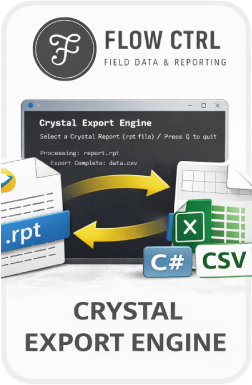
Crystal Export Engine

The first step for bringing SAP Crystal procurement status report data into the suite. The helper converts a known .rpt layout into a structured CSV that downstream tools can trust.

  • Processes a single report or batch of .rpt files
  • Creates a consistent CSV layout from procurement report data
  • Feeds PSR Sanitizer and Master Material List workflows
PSR Sanitizer product icon

Procurement cleanup

PSR Sanitizer

The second step for procurement status report intake. PSR Sanitizer strips pricing and unneeded fields, gives the file a ready-state suffix, and reshapes the CSV into a readable table with headers.

  • Removes cost information before field-facing import
  • Normalizes single files or batches of procurement CSVs
  • Prepares PO and line data for Master Material List import
Master Material List product icon

Material accountability

Master Material List

The backbone of the suite. Master Material List ties procurement data to the project BOM so item balls, PO lines, heat numbers, serial numbers, manufacturers, quantities needed, and quantities ordered can be checked from one place.

  • Imports sanitized procurement status report CSV data
  • Matches PO and line data to Master BOM item balls
  • Supports BOM review for IFA, IFB, and IFC drawing changes

MTR/CoC intake

FlowCTRL OCR

Planned OCR support for reading Material Test Reports and Certificates of Compliance. The goal is to capture heat numbers plus PO and line references from known manufacturer layouts into a clean CSV.

  • Targets repeatable manufacturer document layouts
  • Produces input data for Master Material List
  • Reduces manual heat number and PO/line transcription
Master Pipe Tally product icon

Pipe installation records

Master Pipe Tally

Captures project-wide pipe information once, then generates individual pipe tally forms by grouping designated pipe properties that match the required tally structure.

  • Stores joint number, PO, heat number, length, dimensions, grade, seam, tally person, and date
  • Groups tally forms by matching pipe attributes
  • Feeds pipe records into pressure test and as-built workflows
Pipe Tally Template product icon

Pipe tally output

Pipe Tally Template

The required output form used by Master Pipe Tally. The template stays beside the master workbook so grouped pipe data can populate the project-submittal tally form without retyping.

  • Receives grouped pipe tally data from Master Pipe Tally
  • Supports static form output for the closure package
  • Reduces duplicate entry across pipe tally deliverables
List of Pressure Tests product icon

Pressure test records

List of Pressure Tests

A field-facing Project Box form that users can complete normally, with a Power Query collection sheet behind it for pulling pressure test data into other FlowCTRL workflows.

  • Captures pressure test list information in the familiar form
  • Uses a refresh workflow after users make changes
  • Pairs with Master Pipe Tally for PTR and hydro documentation context

As-built inputs

Master As-Built Info Log

Assigns pipe and components to IFC drawing pages. Pipe entries use joint numbers from Master Pipe Tally, while components use item balls from Master Material List so PO, heat, and serial data can flow into drawing-ready records.

  • Builds IFC-page CSV rows for downstream drawing workflows
  • Compares hydrotest and final install pipe lengths by joint and heat number
  • Summarizes component quantities by item ball for hydro and final installation
Central Weld Bank product icon

Weld tracking

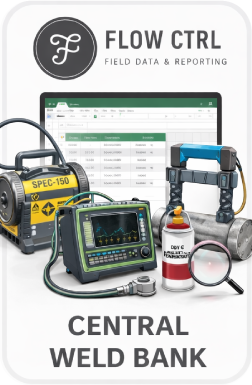
Central Weld Bank

Consolidates project weld information in one place for easier input and audit. The weld bank becomes the source for daily weld reports and connected weld tracking workflows.

  • Tracks weld information by batch, WeldID, welder stencil, and NDE date
  • Pulls drawing numbers from Master Weld Log
  • Feeds Daily Weld Report outputs from one source record
Master Weld Log product icon

Weld mapping

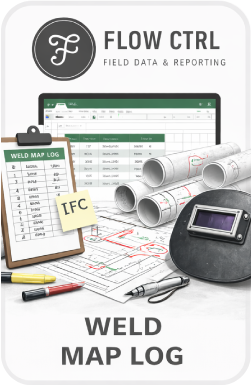
Master Weld Log

Assigns weld numbers to drawings using batch numbers from Central Weld Bank, then auto-populates WeldID and welder stencil data for faster checking.

  • Links batch numbers to drawing-based weld records
  • Uses Power Query summaries for quick error review
  • Improves consistency between weld maps, reader sheets, and daily reports
Daily Weld Report product icon

Daily reporting

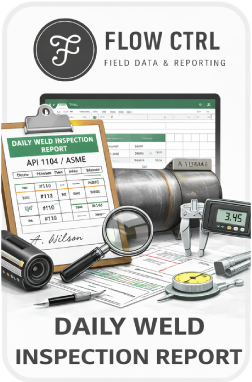
Daily Weld Report

A Project Box form that pulls weld information from Central Weld Bank by NDE date. The report completes yes/no fields from source entries instead of asking the inspector to rebuild the same status checks.

  • Uses an NDE date selector for daily report population
  • Completes report checkboxes from weld bank inputs
  • Supports daily weld inspection records for closeout review

Pilot planning

Review the records chain before field use.

For beta access, module questions, or project fit review, contact FlowCTRL, LLC.

FlowCTRL, LLC support@flowctrl.pro 205.390.7578